Backups protect your Terraria world, player data and configs. Always back up before a major change.
What gets backed up
A full panel backup captures everything on your server. The most important data for Terraria is your world .wld file, Terraria's own .wld.bak copy, and your serverconfig.txt. Everything is included automatically, you do not need to select individual folders.
Tip: Terraria keeps its own .bak file but that lives on the server too, a panel backup is a second independent copy.
Using Premium Backups
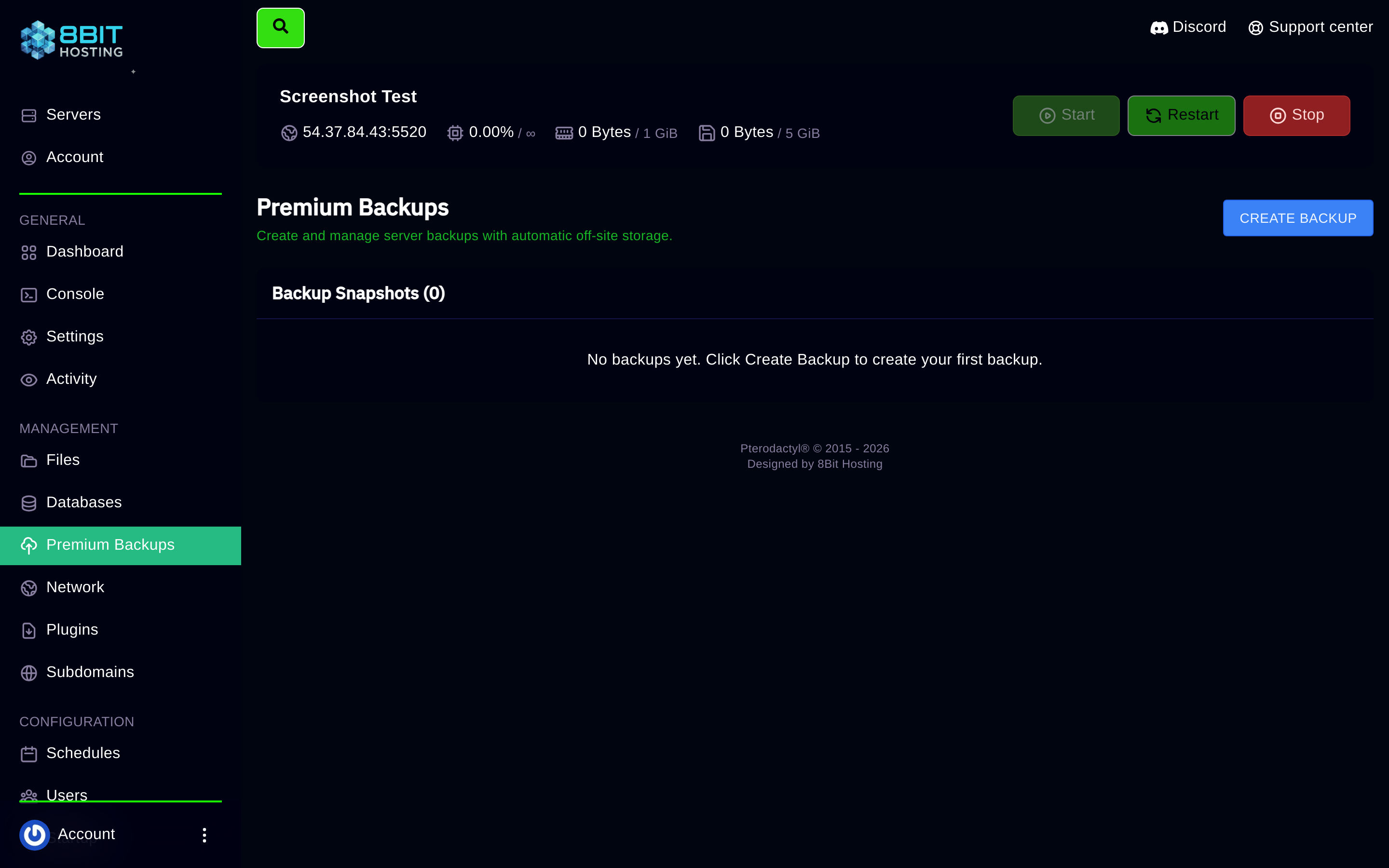
Open your server in the panel and click Premium Backups in the left sidebar.
Create a backup
- Click CREATE BACKUP
- Give it a name if you want, e.g. "Before updating", or leave it blank
- Hit Start backup. It runs in the background, usually 1 to 3 minutes
- A green tick appears when it is done
Restore a backup
- Click the three-dot menu (⋮) next to the backup you want
- Choose Restore and confirm
- The panel stops the server, restores all files, then starts it again automatically
Download a backup
Three-dot menu → Download: saves the full archive to your PC.
When you click Create backup here, Restic automatically encrypts your server data and stores it on a separate storage system, entirely off the node your server runs on. If there were ever a hardware failure on the server, your data is still safe. There is nothing to configure, it works straight away. One click, encrypted, off-site.
Golden rule
Always take a backup before installing mods or plugins, updating the game version, or making major config changes. It takes two minutes and can save hours of rebuilding.
Need help? Open a ticket in Discord or email support@8bit-hosting.com.
 8Bit Hosting