The 8Bit Server Portal gives you a full dashboard to view and manage your VPS or VDS — including server controls, credentials, OS reinstall, snapshots, and an activity log.
Accessing the portal
Option 1: SSO from your service page (easiest)
- Log in to 8bit-hosting.com
- Go to My Services and click your VPS order
- Click Server Portal — you are signed in automatically, no password needed
Option 2: Direct login
- Go to provision.8bit-hosting.com/login
- Enter your 8bit-hosting.com email and password
My Servers dashboard
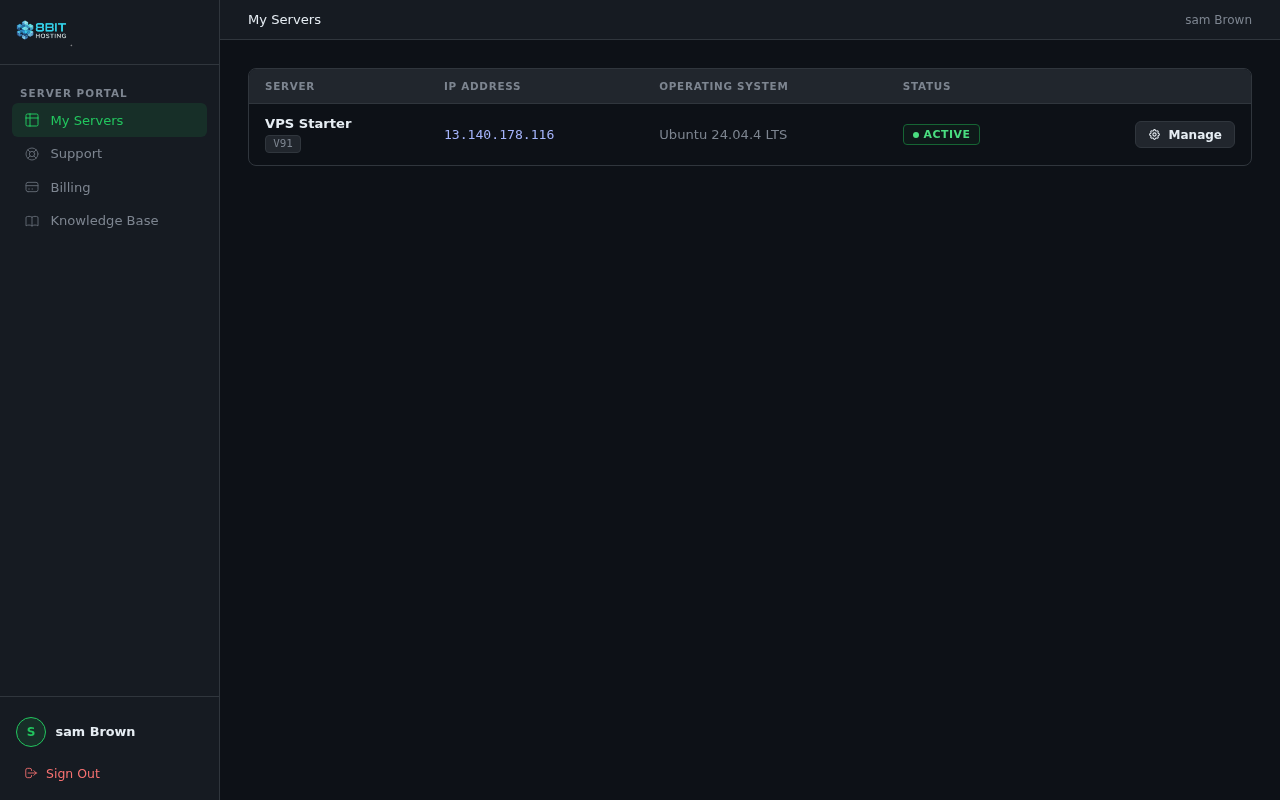
After signing in you land on the My Servers dashboard. Every VPS and VDS on your account is listed with its IP address, operating system, and current status. Click Manage to open a server.
Managing a server
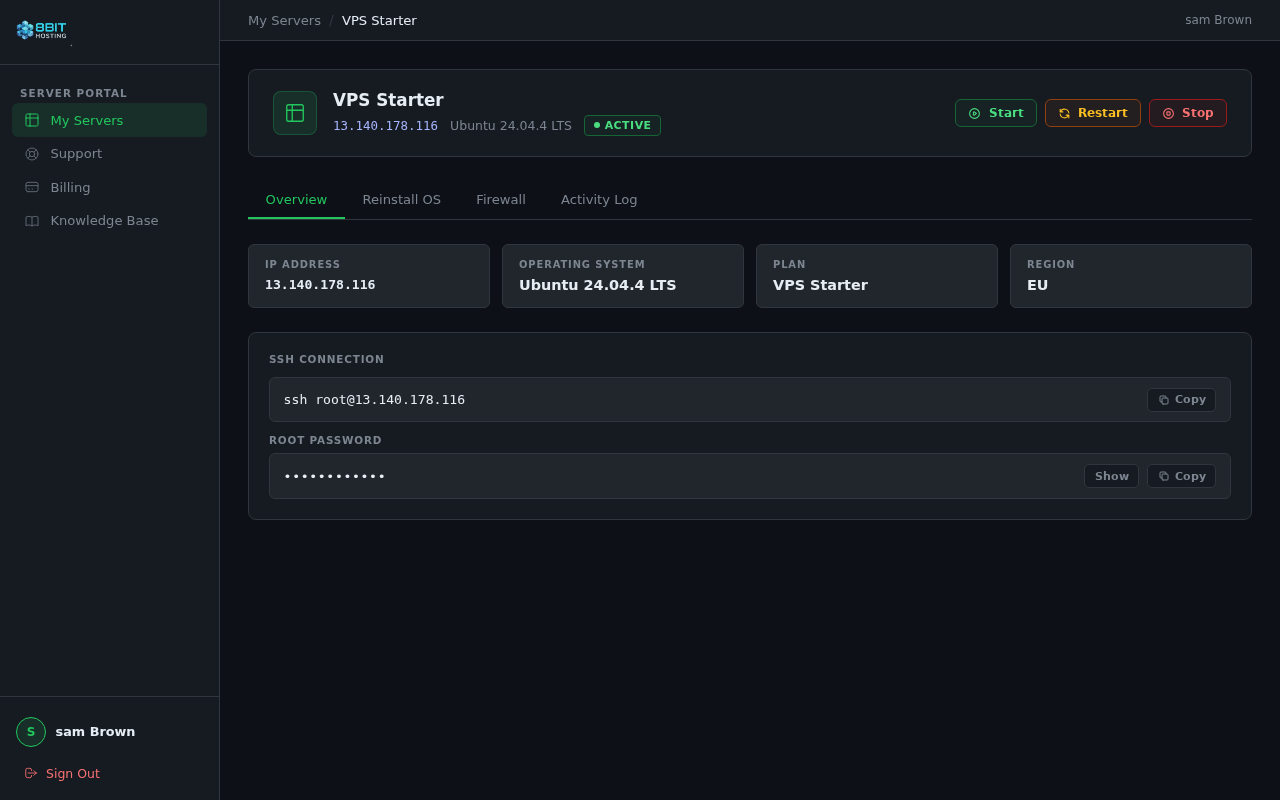
The server detail page has a sidebar for navigation and power controls at the top. Tabs let you switch between different management areas.
Overview tab
Shows your server specs: IP address, operating system, plan, and region. One-click copy buttons let you grab your SSH connection command and root password.
Reinstall OS tab
Choose a new operating system from the dropdown and click Reinstall. The server is wiped and rebuilt — your new root password is emailed to you automatically.
Snapshots tab
Take a point-in-time snapshot and restore it at any time. You can create, restore, and delete snapshots from this tab.
Activity Log tab
A timestamped history of every action on your server — provisioning steps, reboots, reinstalls, and more — shown newest first.
Power controls
The Start, Restart, and Stop buttons appear at the top of the server detail page when your server is active.
Sidebar navigation
- My Servers — back to your server list
- Support — open a support ticket
- Billing — view your invoices
- Knowledge Base — browse help articles
Signing out
Click Sign Out at the bottom of the sidebar. We recommend signing out on shared devices.
 8Bit Hosting