

The server software you run determines whether you can use plugins, mods or neither. You can switch at any time from the Startup tab.
Which type do I need?
| Type | Best for | Supports |
|---|---|---|
| Vanilla | Unmodified survival | Nothing extra |
| Paper | Most servers, best performance | Bukkit/Spigot/Paper plugins |
| Purpur | Performance + extra features over Paper | Bukkit/Spigot/Paper plugins |
| Forge | Mod-heavy servers and modpacks | Forge mods |
| Fabric | Modern mods, lightweight modpacks | Fabric mods |
Paper is the best choice for 99% of plugin servers. It runs faster than Spigot and is compatible with almost every Bukkit/Spigot plugin ever made.
How to switch
- Go to the panel, click Console and press Stop.
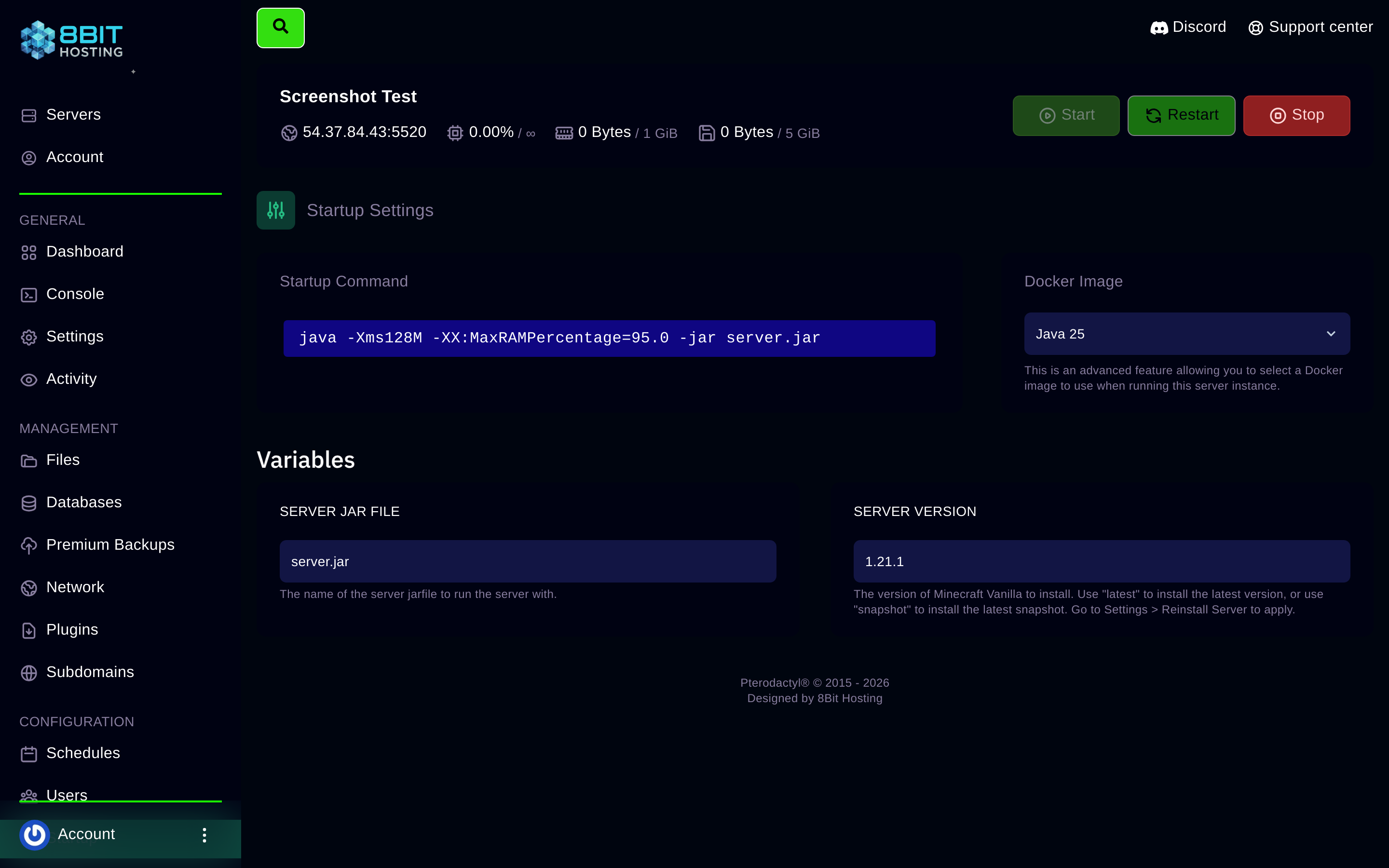
- Click Startup in the sidebar.
- Find the Server Type or SERVER JAR variable and choose your new type.
- Update the Minecraft Version field if switching version at the same time.
- Go back to Console and press Start. The new JAR downloads automatically.
Things to check after switching
- Switching from Paper to Forge or Fabric means your plugins will not work. Remove the contents of the
pluginsfolder. - Switching from Forge or Fabric back to Paper means your mods will not load. Remove the
modsfolder contents. - Your world files stay intact across type changes.
Need help deciding? Ask in our Discord and we'll point you in the right direction.
 8Bit Hosting