Welcome to 8Bit Hosting! This guide walks you through the three steps from order to playing.
1. Pick your game and plan
Head to 8bit-hosting.com and choose your game. Not sure which plan fits? Try a free 2-hour trial first, no card needed. When you're ready, click Get Started, create an account and pay. Your server is provisioned automatically within seconds.
2. Log in to the panel
Your welcome email contains a link to panel.8bit-hosting.com. Log in with the credentials you set at checkout. You'll land on the server list, click Manage server to open your server.
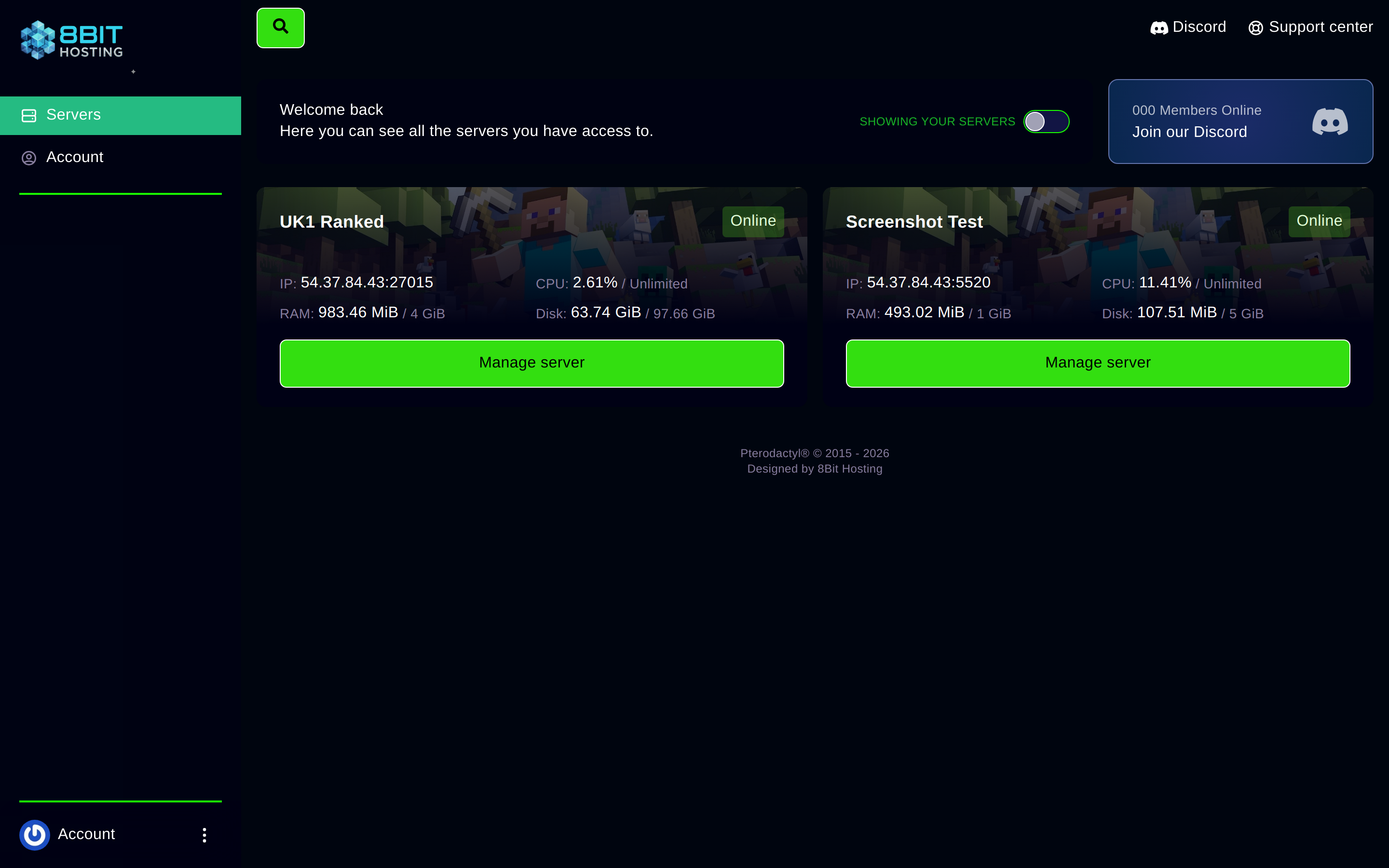
3. Start your server and connect
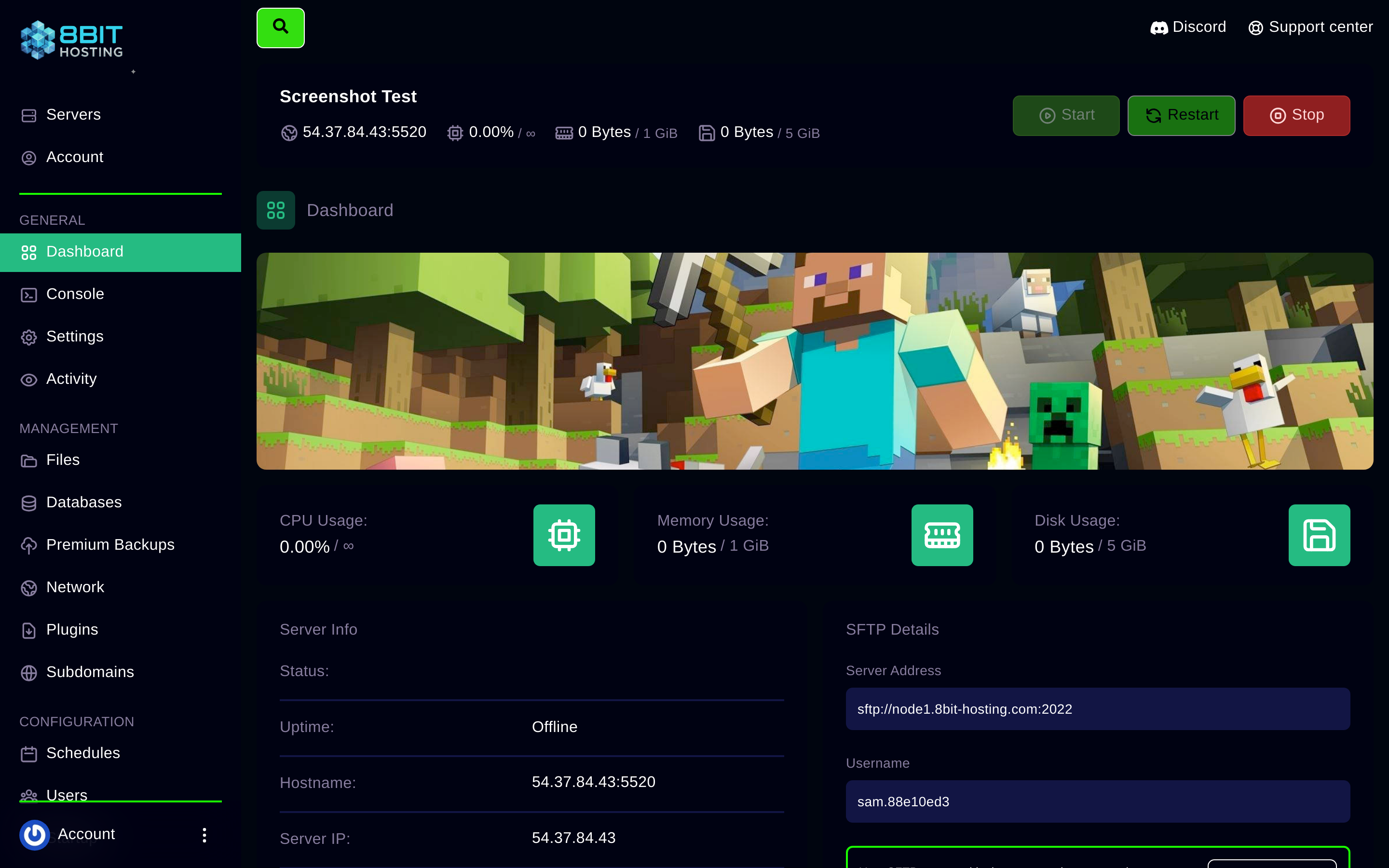
Inside the server, hit Start and wait for the status to show Running. Your IP address and port are shown on the Dashboard tab. Use that address in your game's multiplayer menu. See the game-specific connect guide in the Knowledge Base for exact steps.
Need help?
Join our Discord or email support@8bit-hosting.com, our team is online 24/7.
 8Bit Hosting