
You can give another person access to your server through the panel without ever sharing your password. The sub-user system lets you choose exactly what they can and can't do, from just viewing the console right through to full file access.
\nStep 1:
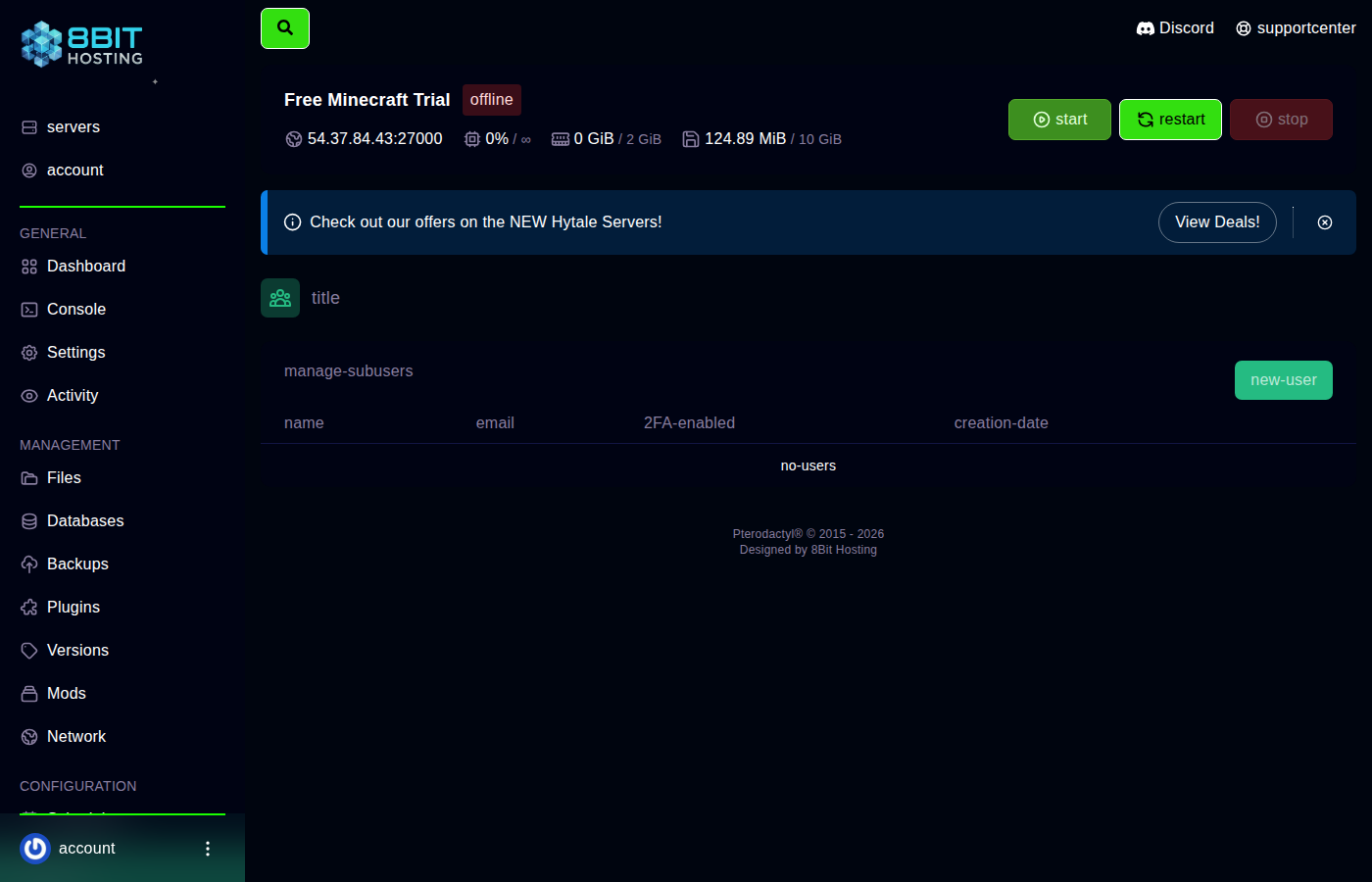 Go to the Users tab
\nLog in at panel.8bit-hosting.com, click your server, then click the Users tab in the top navigation bar (between Schedules and Backups).
\nStep 2: Add a new user
\nClick New User. Enter the email address of the person you want to invite. They'll need a panel account using that same email address, if they don't have one yet, they'll receive an invitation to create one.
\nStep 3: Set their permissions
\nTick the boxes for what they're allowed to do. Here's what each group covers:
\n- \n
- Control - Start, stop and restart the server. \n
- Console - View the live console and type commands. \n
- File Manager - Browse, edit, upload and delete files. Be careful with this one; it's effectively full access to your server files. \n
- Databases - Create and manage MySQL databases. \n
- Schedules - Set up automatic tasks. \n
- Users - Add or remove other sub-users. Only trust someone with this if you'd trust them with full access. \n
- Backups - Create and restore off-site backups. \n
- Allocations - View and manage network port assignments. \n
- Startup - Change startup parameters and server type. \n
- Settings - Rename the server and change SFTP settings. \n
- Activity Log - View who has done what on the server. \n
For a trusted friend or co-admin, ticking Control, Console and File Manager is usually enough. For a mod or plugin developer, add Databases too.
\nStep 4: Save
\nClick Invite User. They'll receive an email with a link to accept. Once they accept, they'll see your server in their own panel account.
\nRemoving a sub-user
\nGo back to the Users tab, find the person and click the red delete icon next to their name. Their access is removed immediately.
\nNeed a hand? Join our Discord or email support@8bit-hosting.com.
 8Bit Hosting